


Carista OBD2 Car Scanner
3.9673.00 Reviews
App Specs
- Version
- 10.0
- Updated On
- License
- Free
- Downloads
- 1,000,000+
- Developer
- Prizmos Ltd.
- Categories
- Auto & Vehicles
- Platform
- Android, iOS
Screenshots
 Analysis by AppCompare
I find Carista OBD2 most useful when a car is shared, because a warning light or a changed setting affects everyone who drives it. Rather than guessing what a dashboard alert means, a household member can use the app with a compatible OBD2 adapter to read diagnostic information and bring a clearer account of the issue to the person who handles repairs. That doesn’t make the app a substitute for a mechanic, but it can make the first conversation about a problem less vague.
One car, several drivers
In a household with more than one driver, small differences in how people use a car can lead to confusion: one person notices a warning, another regularly drives the vehicle, and someone else may be responsible for arranging service. A practical routine is to agree that whoever sees a new warning will note when it appeared and check the code before anyone resets it. That gives the household a useful starting point for a garage visit instead of erasing a clue before it has been discussed.
Carista can also help when a family member borrows a vehicle for a longer trip. Before leaving, the regular driver can check for current diagnostic alerts; afterward, the borrower can report any new dashboard warning for follow-up. I would treat this as a way to share observations, not as proof that a car is ready for a journey. An app scan cannot replace checking tyres, fluids, brakes, or other routine safety items.
Set boundaries before changing settings
Customization is appealing, but it is worth deciding who may change vehicle settings before several people start exploring. A setting that feels convenient to one driver may surprise another, especially if it affects lights, locking behavior, or another feature the household relies on. I’d make one change at a time, tell the other regular drivers what changed, and check that everyone is comfortable with it before experimenting further.
There is also a sensible distinction between reading information and acting on it. A diagnostic code can point toward an area that needs attention, but it does not always identify the exact failed part or explain how urgent a repair is. If the car behaves unusually, a warning is serious, or the same code returns, I would stop treating the app as the decision-maker and ask a qualified mechanic. Clearing a code just to make the dashboard look normal can hide useful information from the next person who checks the vehicle.
Coordination without shared-account assumptions
For a household, the simplest coordination tool may be an agreed routine rather than expecting an app to manage multiple people. Decide who keeps the adapter, who is comfortable connecting it, and where diagnostic notes should be shared. Carista’s role is to work with the vehicle through an OBD2 adapter; I would not assume it provides family profiles, driver permissions, or a shared maintenance calendar.
That boundary matters if several people use the same phone or car. Before handing over a device, consider whether the next person should be able to access other phone content, and avoid sharing account details casually. A household can still coordinate by telling one another what was scanned, what code appeared, and whether anyone changed a setting. Keeping that conversation specific is more useful than simply saying the app “checked the car.”
Worth Reading Before You Choose

Flipboard Shows What News Apps Must Do Beyond the Feed

Switching to Android Auto Means Rethinking Your Driving Routine

Google Calendar Makes a Crowded Week Easier to Manage

Ludo King Makes the Most of the Minutes Between Plans

Baby Panda World Brings Quick Play to Modern Phones, but Its Game Library Feels Busy

ESPN’s Live Game View Makes Following Close Games Easier
Who should use it, and who may prefer another route?
This is a good fit for drivers who want more context before calling a repair shop, people who enjoy learning about their cars, and households that share responsibility for a vehicle. It can be particularly handy when a warning appears outside shop hours: you can gather diagnostic information, record what the car is doing, and decide whether the next step is prompt professional help or a routine appointment.
It is less suitable for someone who wants a no-accessory solution, since using it requires an OBD2 adapter. It may also frustrate drivers who expect every setting or diagnostic function to work with every car. Vehicle compatibility can vary, so I would check that the specific car and adapter are supported before buying equipment or relying on a feature. If you only need a one-time code read, a mechanic or a basic scan tool may be simpler; if you want to monitor and explore your own vehicle over time, an app-based approach can be more convenient.
Getting to Know Carista OBD2
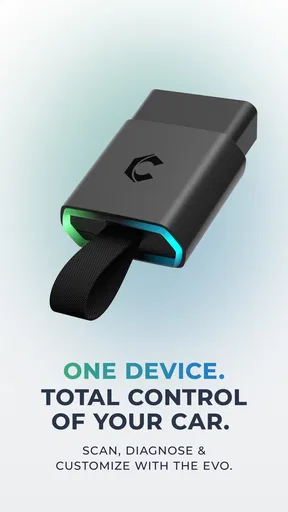
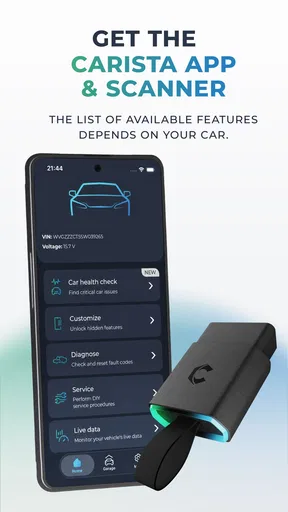
So, what’s the deal with Carista OBD2? In a nutshell, it’s an app designed to connect with your car’s onboard diagnostics system using an OBD2 adapter. With this nifty tool, you can diagnose issues, customize settings, and even reset those annoying warning lights. It’s like having a mini-mechanic in your pocket!
Setting Up and First Impressions
Getting started with Carista is as easy as pie. First, you’ll need an OBD2 adapter, which you can snag online if you don’t already have one. Once you’ve got that, it’s just a matter of plugging it into your car’s OBD2 port—usually found under the dashboard—and connecting it to the app via Bluetooth. The app itself is available on both Android and iOS, so no worries about compatibility.
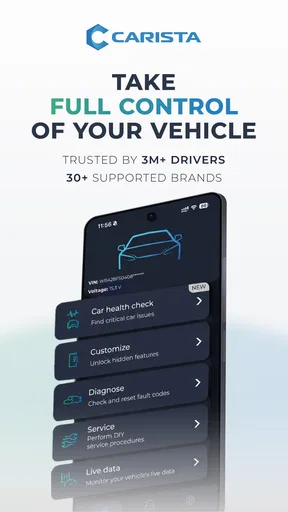
When I first opened the app, I was pleasantly surprised by its clean and intuitive interface. The home screen gives you a quick overview of your car’s status, and navigating through the features is a breeze. I didn’t find myself scratching my head trying to figure out what to do next, which is always a plus in my book.
Diving into the Features
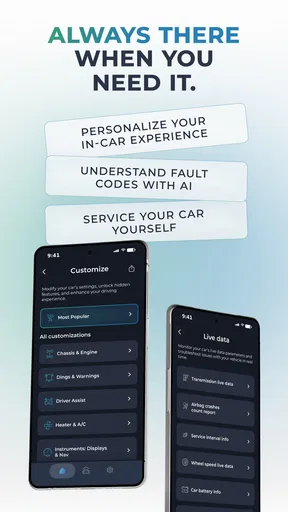
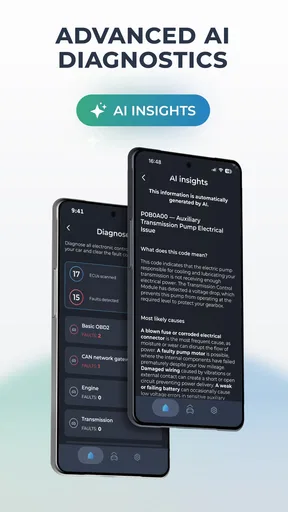
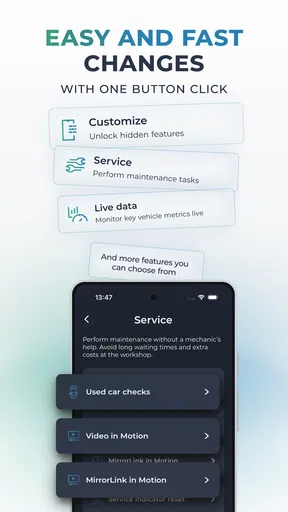
Now, let’s talk features. One of the standout functions of Carista is its ability to diagnose issues. It scans your car for trouble codes and, here’s the kicker, it actually tells you what they mean in plain English! No more googling mysterious codes and ending up on dubious forums. The app also allows you to reset these codes, potentially saving you a trip to the mechanic.
But that’s not all. Carista also lets you customize your car’s settings. Want to tweak the way your car’s lights behave or how the doors lock? This app can do that. It’s a fun way to personalize your vehicle to suit your preferences.
Making a useful scan routine
A code read is most valuable when you capture the circumstances around it. If a warning comes on during a commute, I’d make a note of whether the engine was cold or warm, whether the car felt different, and whether the light stayed on after restarting. That context can help a mechanic distinguish a recurring fault from a one-off alert. It also gives the household a shared record in plain conversation without assuming the app stores a maintenance history.
For a used car, I’d use a scan as one small part of a broader inspection, not as a purchase verdict. A clean scan cannot guarantee that a vehicle has no mechanical problems, and a stored code does not automatically mean an expensive failure. The useful trade-off is that Carista may help me ask better questions before committing to a repair or inspection, while a professional assessment remains important for decisions with safety or significant cost implications.
Costs, access, and expectations
The app is free to download, while in-app purchases range from under a dollar to just under sixty dollars per item. That makes it sensible to explore what is available for your car before paying for any additional option. I would avoid assuming that every function is included at no cost, and I would check the compatibility of both the vehicle and adapter before treating a particular feature as essential.
Carista is developed by Prizmos Ltd. It has been available since 2013, and version 9.7 is the current release. It is rated for everyone, though in practice the person using it should be comfortable following careful instructions around a vehicle’s diagnostic port and should understand that changing settings can affect other drivers. The app has a 3.7 average from around 19,000 ratings, with more than a million installs; I see that as evidence of a sizeable audience, not a guarantee that every driver will get the same experience.
When a warning appears on an ordinary day
Imagine the check-engine light comes on while one household member is driving home. Once safely parked, they can connect the adapter, read the code, and share what appeared with the person who usually arranges maintenance. The next decision should depend on the warning and the car’s behavior, not on the code alone. If the vehicle is running roughly or seems unsafe, I would not keep driving simply because the app can display information; I’d seek appropriate professional help.
If the car feels normal and the alert does not indicate an immediate danger, the scan can still help make a service call more productive. A driver can describe the alert and any symptoms rather than asking a shop to start from scratch. That is a modest but real benefit: the app helps organize the first steps, while diagnosis and repair remain the work of someone equipped to inspect the vehicle.
Performance and Reliability
In terms of performance, Carista runs smoothly and connects reliably to the OBD2 adapter. I didn’t experience any unexpected disconnections or crashes, which is crucial when you’re relying on it for important diagnostics. The app updates regularly, which is a good sign that the developers are committed to keeping it in tip-top shape.
Age, trust, and shared devices
The everyone age rating describes the app’s general content, but I would not treat vehicle customization as a task for a child to handle unsupervised. The adapter connects to a car’s diagnostic system, and changing settings or clearing codes should be left to a responsible driver who understands the consequences. If a younger family member is curious about a scan, I’d let them observe and explain what the code can and cannot tell us rather than giving them authority to reset warnings.
On a shared phone, basic device privacy still matters. The app’s age rating does not establish how a household should manage accounts or phone access, so I’d keep the device’s normal screen lock and avoid handing over a phone that exposes personal information unnecessarily. That is ordinary shared-device care, not a special family-management feature.
Who Would Love This App?
If you’re a car enthusiast who loves tinkering and understanding every little detail about your vehicle, Carista is a dream come true. Even if you’re not mechanically inclined, the app’s user-friendly nature makes it accessible for anyone wanting to take a peek under the hood without getting their hands dirty.
Another group that would benefit greatly from this app is anyone who frequently travels long distances. Having the ability to check your car’s health on the go gives you peace of mind, especially when you’re miles away from the nearest mechanic.
Household verdict
For a shared car, I’d use Carista as a practical information-gathering tool, with one person coordinating changes and everyone else reporting what they notice. That approach makes the app more useful without expecting it to supervise drivers, maintain household schedules, or decide whether a car is safe. If your priority is quick access to diagnostic codes and some vehicle personalization, it earns a place in the toolkit; if you need a guaranteed diagnosis, a workshop remains the better option.
Final Thoughts
All in all, Carista OBD2 is a fantastic tool for anyone looking to gain more control over their car’s diagnostics and settings. With its straightforward setup and a wealth of features, it’s like having a workshop at your fingertips. Whether you’re a gearhead or just a curious driver, this app is definitely worth checking out.
So, next time that pesky light pops up on your dashboard, you can smile knowing that Carista has got your back. Happy driving and happy diagnosing!
Pros
- User-friendly interface for easy navigation.
- Customizable settings for personalized use.
- Supports a wide range of car models.
- Simple connection setup via Bluetooth.
- Regular updates for improved functionality.
Cons
- Limited free features; paid subscription needed.
- Some features require specific car compatibility.
- Occasional connection drops with certain devices.
- Advanced diagnostics might be too technical.
- Subscription can be pricey for casual users.
FAQs for Carista OBD2 Car Scanner
What is Carista OBD2 and how does it work?
Carista OBD2 is a mobile application designed to work with an OBD2 adapter, allowing users to diagnose, customize, and service their car. By connecting the app to the vehicle's OBD2 port, users can access a range of features such as checking engine health, customizing settings, and performing basic maintenance tasks.
Is Carista OBD2 compatible with my vehicle?
Carista OBD2 is compatible with most cars manufactured after 1996 that have an OBD2 port. However, the app’s customization and service features are more extensive for specific brands like Audi, BMW, Toyota, and Volkswagen. It’s advisable to check the official Carista website for a detailed compatibility list before downloading.
What are the main features of Carista OBD2?
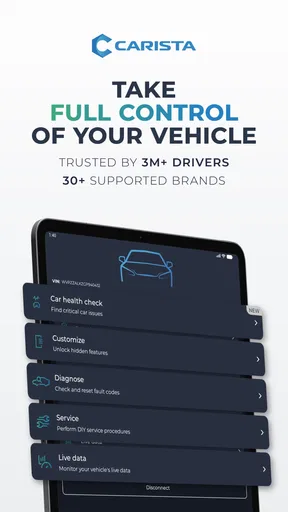
The main features of Carista OBD2 include diagnostic tools to read and clear fault codes, customization options for car settings, and service tools for maintenance tasks like oil service resets. Users can also access advanced features based on their vehicle’s brand and model, providing greater control and insight into their car’s performance.
Is there a cost associated with using Carista OBD2?
Carista OBD2 offers a free version with basic diagnostic functionality, but to access advanced features such as customization and service tools, users need a subscription. The app offers various subscription plans, including weekly, monthly, and yearly options, allowing users to choose based on their needs and budget.
What do I need to use Carista OBD2?
To use Carista OBD2, you need a compatible OBD2 adapter and a smartphone or tablet with the Carista app installed. The app is available on both Android and iOS platforms. Once the adapter is connected to your car and paired with the app via Bluetooth, you can begin utilizing the app’s features.


